


martes, 25 de julio de 2023 a las 21:32hs por Gustavo Cantero (The Wolf)
CSS3 trae consigo una amplia variedad de selectores que permiten a los desarrolladores web seleccionar y aplicar estilos a elementos HTML de manera precisa y eficiente. En este artículo, exploramos los diferentes tipos de selectores de CSS3 y proporcionamos ejemplos detallados de su uso.


domingo, 05 de febrero de 2023 a las 16:53hs por Gustavo Cantero (The Wolf)
En este artículo mostramos cómo comparar dos imágenes utilizando .net y OpenCV, a través de la librería OpenCV4Sharp.



domingo, 31 de julio de 2022 a las 19:17hs por Marcos Ardissino
En este artículo te explicamos como convertir tu web WordPress en una PWA de forma sencilla, utilizando el plugin SuperPWA.



sábado, 18 de septiembre de 2021 a las 21:31hs por Gustavo Cantero (The Wolf)
Detalle paso a paso de todas las tareas necesarias para publicar una aplicación de Xamarin en el App Store, incluyendo la creación de certificados, identificadores, perfiles, configuraciones, y creación de la aplicación en el App Store Connect.


martes, 11 de agosto de 2020 a las 17:38hs por Alejo Ezequiel Vigo
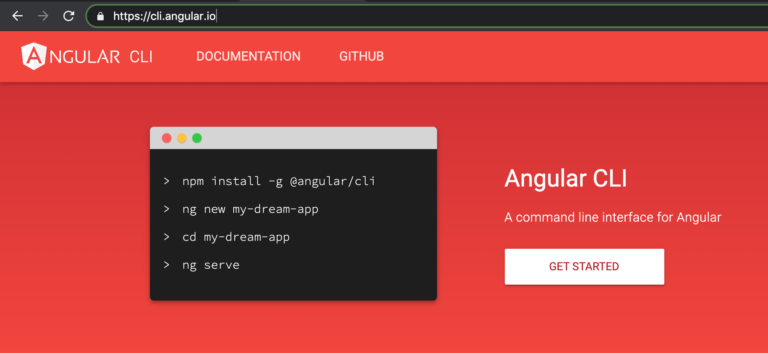
En este artículo veremos de qué se trata Angular, sus diferentes versiones, y cómo instalarlo tanto en Windows como en MacOS.

sábado, 18 de julio de 2020 a las 23:51hs por Gustavo Cantero (The Wolf)
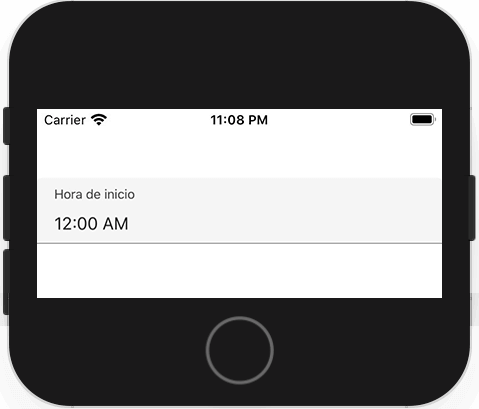
Uno de los problemas con los que nos topamos al desarrollar un formulario con Xamarin Forms es que, a diferencia del control Entry, no existe la propiedad Placeholder en el TimePicker para identificar qué se está ingresando en ese campo.
En este artículo mostramos como crear un control que herede del TimePicker, pero que tenga el placeholder para iOS y Android.
viernes, 17 de julio de 2020 a las 14:04hs por Alejo Ezequiel Vigo
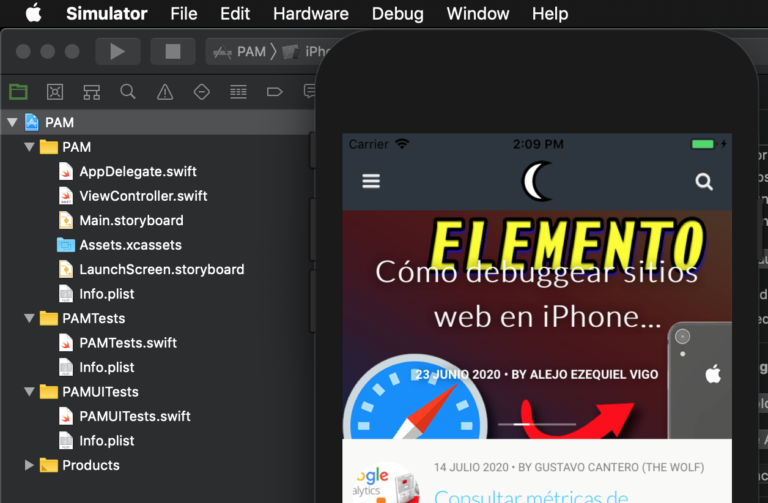
En este artículo veremos cómo crear una aplicación para iOS desde cero, utilizando XCODE y la función VKWebView, que nos permite visualizar un sitio web directamente en nuestra app.

martes, 14 de julio de 2020 a las 19:35hs por Gustavo Cantero (The Wolf)
Hace poco tuvimos que conectar una aplicación web que desarrollamos con Google para obtener información de Analytics, cosa que no es complicada, pero si no sabés lo que tenés que hacer, puede hacerte perder mucho tiempo. Por esta razón me decidí a hacer este artículo, para que quede como una guía para quien necesite hacerlo.

martes, 23 de junio de 2020 a las 12:52hs por Alejo Ezequiel Vigo
En este artículo explicamos cómo activar las herramientas de Development de Safari, para poder acceder a la función de «Inspeccionar Elemento» y realizar debuggings con iOS

viernes, 13 de marzo de 2020 a las 21:43hs por Gustavo Cantero (The Wolf)
En este artículo explico cómo enviar mensajes de texto y/o fotos a través de WhatsApp desde nuestra aplicación, sin necesidad de librerías de terceros.
miércoles, 11 de diciembre de 2019 a las 11:50hs por Gustavo Cantero (The Wolf)
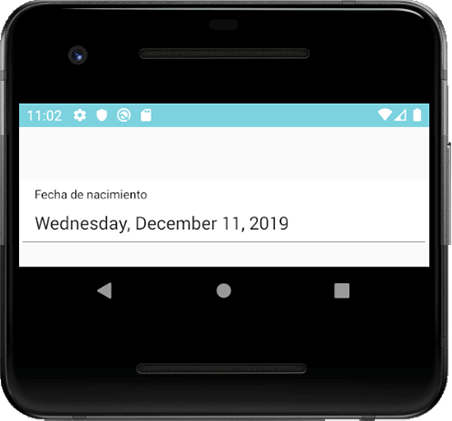
Uno de los problemas con los que nos topamos al desarrollar un formulario con Xamarin Forms es que, a diferencia del control Entry, no existe la propiedad Placeholder en el DatePicker para identificar qué se está ingresando en ese campo.
En este artículo mostramos como crear un control que herede del DatePicker, pero que tenga el placeholder para iOS y Android.



martes, 12 de noviembre de 2019 a las 13:43hs por Gustavo Cantero (The Wolf)
En este artículo explicamos como deshabilitar los protocolos TLS 1.0 y 1.1, que ya son obsoletos y tienen varias vulnerabilidades conocidas.

martes, 05 de noviembre de 2019 a las 11:49hs por Gustavo Cantero (The Wolf)
En este artículo explico cómo hacer para cambiar, de forma sencilla, los colores del diálogo del DatePicker de una aplicación Xamarin Forms o Xamarin Android, incluso cuando nuestro control está utilizando la visual Material.


lunes, 04 de noviembre de 2019 a las 17:02hs por Valentina Echezuria
La regla @supports nos permite establecer propiedades css que tengan o no soporte por parte de los distintos navegadores. Mediante este método podemos establecer valores para navegadores que tengan el soporte para el mismo, y al mismo tiempo determinar un valor para ese elemento.
En esta nueva publicación te mostraremos como utilizarla y como aplicarla para lograr un óptimo crossbrowsing.


miércoles, 02 de octubre de 2019 a las 15:49hs por Gustavo Cantero (The Wolf)
En este artículo comentamos cómo realizar capturas de páginas completas desde Chrome, de forma sencilla, rápida y sin necesidad de instalar plugins.
